
Get History
1 Overview
History includes the historical data of stake, unstake, and received reward. All historical data within our platform is derived from on-chain sources, ensuring the reliability and precision of the information presented. Users can leverage GraphQL to retrieve data by sending queries to a GraphQL server. Here's a step-by-step guide on how users can use GraphQL to get history.
2 Get History
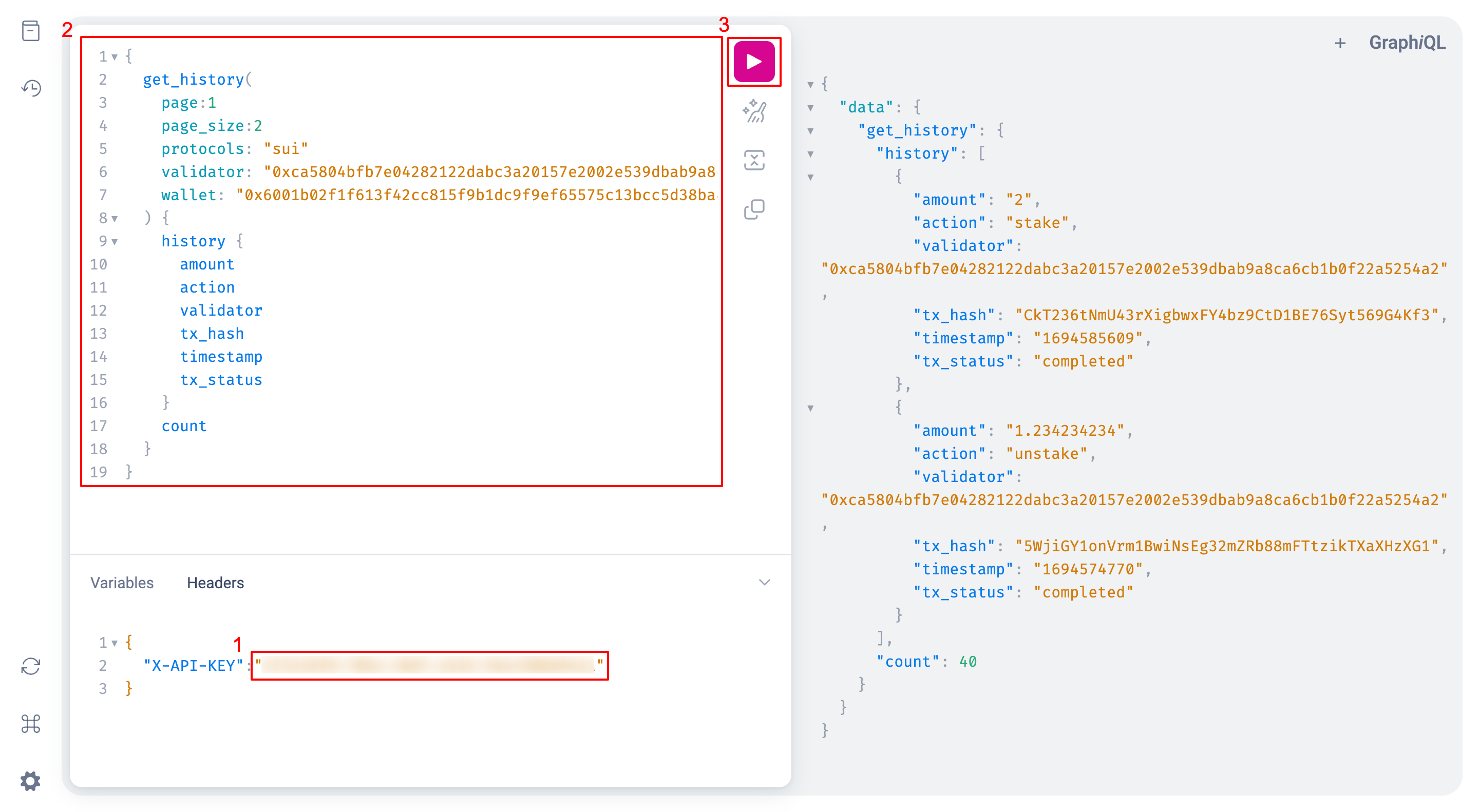
Open GraphQL Playground, input your access token and query, then send the request.
Arguments
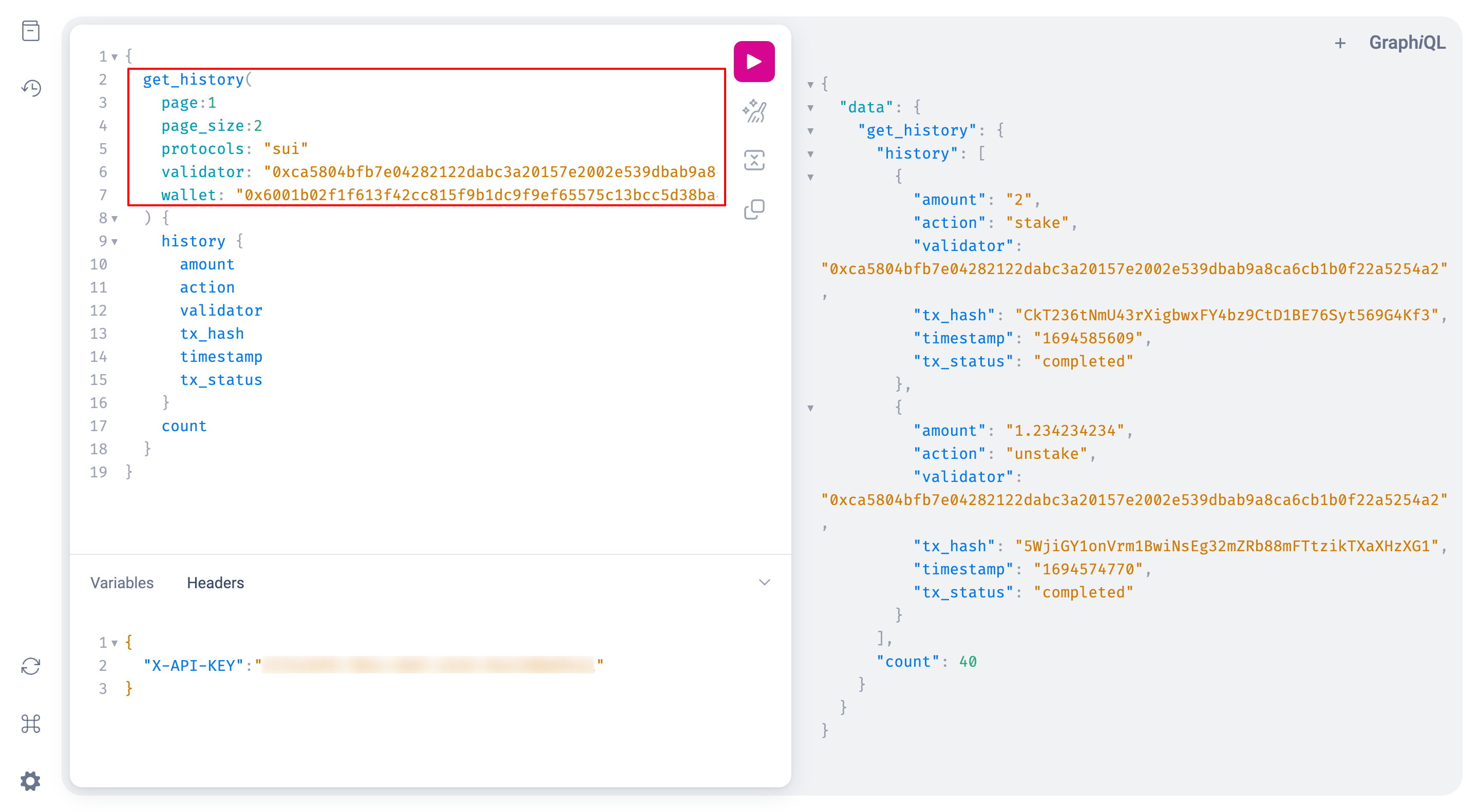
For more available arguments, check the list below:
| Key | Type | Required | Detail |
|---|---|---|---|
protocols | String Array | ✅ | Filter by specific protocols |
wallet | String | ✅ | Filter by specific wallet |
validator | String | ✅ | Filter by specific validator |
sort_field | String | ❌ | Customize sorting criteria for results |
reverse | Boolean | ❌ | Reverse sort order with true |
keywords | String Array | ❌ | Performs a strict equality comparison against the txHash field, retrieving data that precisely matches the provided keywords |
statuses | String Array | ❌ | Filter by specific statuses, such as ["unsigned", "failed", "completed", "pending"] |
actions | String Array | ❌ | Filter by specific actions, such as ["stake", "unstake", "claim", "withdraw"] |
start_time | String | ❌ | Filter after a specified start_time, represented in epoch time format |
end_time | String | ❌ | Filter after a specified end_time, represented in epoch time format |
id | String | ❌ | Unique ID of the asset |
page | Integer | ❌ | Page number |
page_size | Integer | ❌ | The number of results returned on each page |
Query Fields
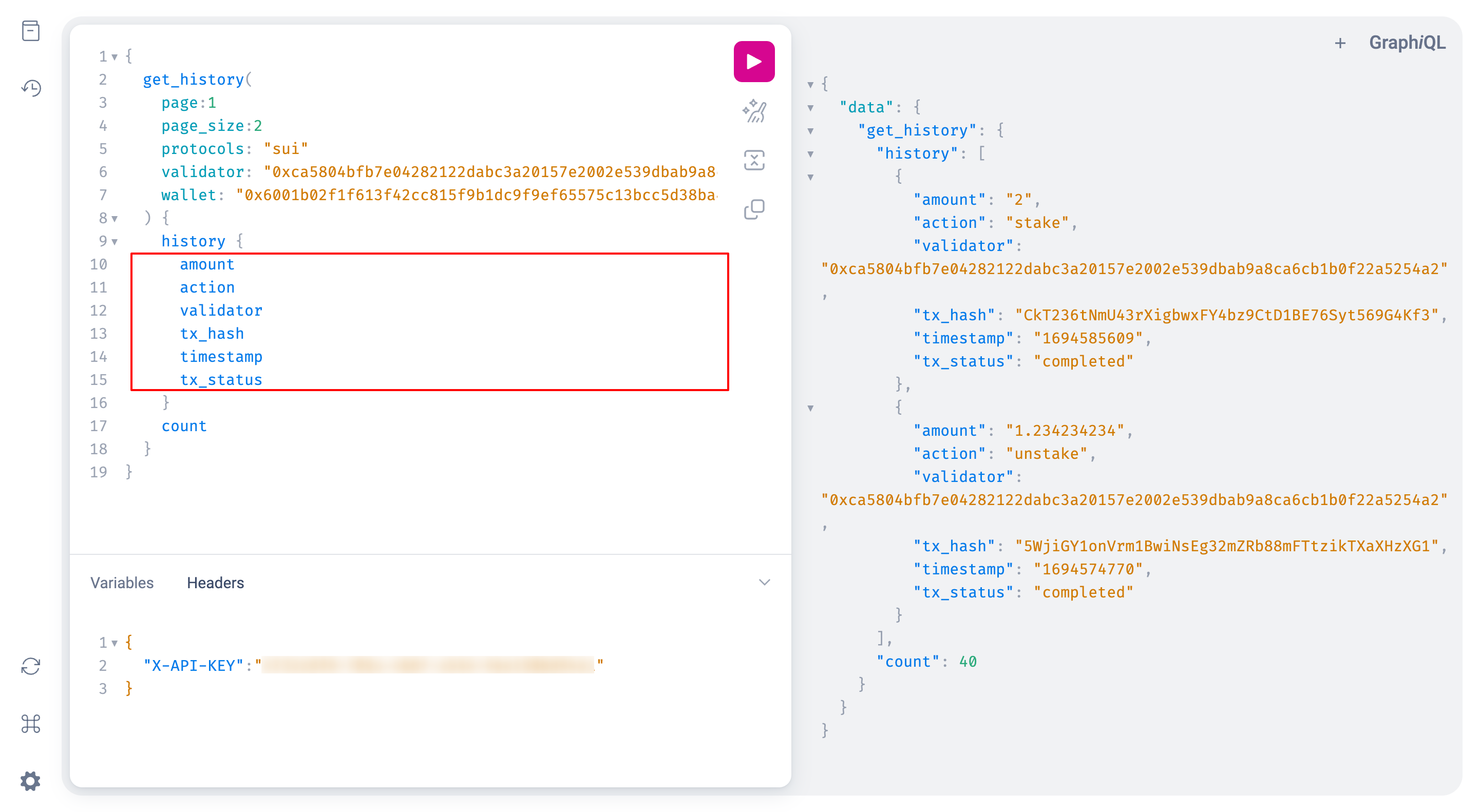
For more available fields, check the list below:
amount: The amount associated with the action. The meaning of the amount varies based on the action and protocol. For example, if the action isstake, the amount represents the stake size, using the largest unit in the respective protocol (e.g., 32 ETH in Ethereum).wallet: The user's wallet address linked to the historical activity.validator: The address of the validator associated with the historical action.tx_hash: The transaction hash that corresponds to the historical activity, enabling users to access detailed transaction information on the blockchain.action: The type of action associated with the historical data. Common actions includestake,unstake,claim, anddistribute.timestamp: The timestamp in Unix format, representing the time when the historical activity occurred.tx_status: The status of the transaction associated with the historical activity, which can be one of three values:pending: The transaction is in progress or pending confirmation.completed: The transaction has been successfully completed.failed: The transaction failed to be executed.
Request Example
{
  get_history(
    page:1
    page_size:2
    protocols: "sui"
    validator: "0xca5804bfb7e04282122dabc3a20157e2002e539dbab9a8ca6cb1b0f22a5254a2"
    wallet: "0x6001b02f1f613f42cc815f9b1dc9f9ef65575c13bcc5d38ba4c63c6308ed7a40"
  ) {
    history {
      amount
      action
      validator
      tx_hash
      timestamp
      tx_status
    }
    count
  }
}
Response Example
history: The array of individual activity objects, each containing the fields specified in the aboveQuery Fields.count: The total count of history the user has.
{
  "data": {
    "get_history": {
      "history": [
        {
          "amount": "2",
          "action": "stake",
          "validator": "0xca5804bfb7e04282122dabc3a20157e2002e539dbab9a8ca6cb1b0f22a5254a2",
          "tx_hash": "CkT236tNmU43rXigbwxFY4bz9CtD1BE76Syt569G4Kf3",
          "timestamp": "1694585609",
          "tx_status": "completed"
        },
        {
          "amount": "1.234234234",
          "action": "unstake",
          "validator": "0xca5804bfb7e04282122dabc3a20157e2002e539dbab9a8ca6cb1b0f22a5254a2",
          "tx_hash": "5WjiGY1onVrm1BwiNsEg32mZRb88mFTtzikTXaXHzXG1",
          "timestamp": "1694574770",
          "tx_status": "completed"
        }
      ],
      "count": 40
    }
  }
}
Updated 12 months ago
Did this page help you?